

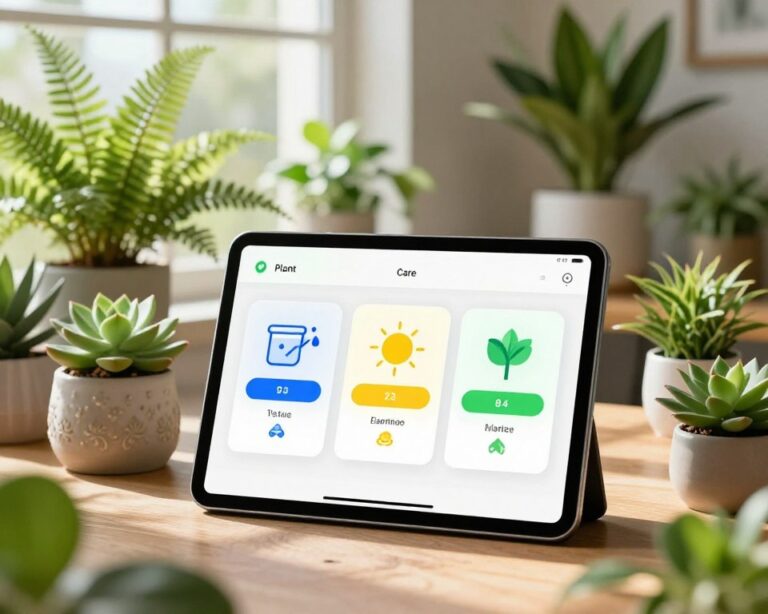
Knowing what a plant is called is satisfying. Knowing how to keep it alive and watching it thrive over months is something else entirely.
Once you’ve moved past the initial thrill of identification, a different set of tools becomes relevant. Not apps that recognize plants, but apps that help you build a relationship with them: tracking growth, scheduling care, catching problems early, and connecting with people who are just as obsessed as you are.
This is where plant keeping gets genuinely interesting.
The Apps That Go Deeper
Greg
Greg has built one of the best personalized scheduling engines in the plant app space. After you add your plants (by scanning or searching), it asks about your home’s light levels and your region’s climate. The result is a custom watering schedule that adjusts over time based on your inputs. The app also sends push notifications, tracks your watering history, and lets you log notes about each plant. It has a community feed where users share updates, ask questions, and post growth progress. Free tier is functional; premium unlocks additional tracking features. Dowload now for Android or IOS.
Planta
Planta has a more polished, app-store-friendly interface and covers a wide range of care tasks — not just watering, but also fertilizing, misting, repotting, and pruning, each with their own reminders. It uses your location to calibrate seasonal light levels and sends care reminders that explain why you’re doing each task, not just when. The health diagnostics feature lets you photograph a struggling plant and get a potential diagnosis. Subscription required for full functionality. Dowload now for Android or IOS.
Blossom
Blossom includes a plant journal feature that’s particularly well-executed. You can log entries with photos, notes, and care actions, building a visual history of each plant over time. It’s oddly satisfying to scroll back through a plant’s timeline and see how much it’s grown since you first brought it home. Also includes a pest and disease library for troubleshooting. Dowload now for Android or IOS.
Shifting from Identification to Stewardship
The mental shift between “what is this?” and “how do I care for this?” is bigger than it sounds. Plant care isn’t one-size-fits-all. A Monstera deliciosa in a humid apartment with bright indirect light needs a very different schedule than one sitting near a drafty window in a dry climate. Generic advice — “water once a week” — sets people up for failure.
Advanced plant apps solve this by combining care databases with personalized scheduling. Instead of following arbitrary timelines, you log your specific plant, answer a few questions about its environment, and the app generates a care routine calibrated to your conditions. Some apps adjust recommendations seasonally, since watering needs in January often differ significantly from August.
Building a Care Routine That Actually Sticks
The reason most people neglect their plants isn’t indifference — it’s friction. The pot is in another room, the schedule is in your head, and watering feels like a vague obligation you’re never quite sure you’ve met. Apps reduce that friction by making the care loop explicit and visible.
A practical daily workflow looks something like this:
Morning check-in. Open your app and see what needs attention today. Greg and Planta both present this as a task list at the top of the home screen. You might see: Water Pothos, Fertilize Monstera, Check Fiddle Leaf for pests.
Act and log. Water what needs watering. Then mark it done. This step takes ten seconds but matters — it resets the scheduling timer and builds your plant’s history log.
Photo logging (weekly or monthly). Once a week or once a month, photograph each plant in your collection and attach it to that plant’s journal. Over three to four months, the visual record becomes genuinely useful — you can see whether a plant is growing vigorously, stagnating, or declining, which helps you adjust care before problems become critical.
Review trends (monthly). Most advanced apps include some form of history or analytics. Look for patterns: Is one plant being overwatered? Are your succulents getting care reminders too frequently for winter months? Adjust settings to match what you’re actually observing.
Early Problem Detection
One of the highest-value features in paid plant apps is health diagnostics — the ability to photograph a plant showing symptoms and get a suggested diagnosis.
Symptoms like yellowing leaves, brown tips, white powdery spots, or wilting can each point to multiple causes: overwatering, underwatering, root rot, nutrient deficiency, pest infestation, or light stress. A good diagnostic tool walks you through the possibilities, asks clarifying questions, and narrows it down to likely culprits with suggested treatments.
Planta’s diagnosis tool is among the more reliable ones. iNaturalist’s community can also be surprisingly useful here — post a photo of a sick plant with a description and experienced users often respond within hours with actionable advice.
For pest identification specifically, apps like Picture Insect (from the same developer as PictureThis) can identify common plant pests from a photo, which pairs well with your primary plant care app.
Community: The Underrated Feature
Plant apps with community features have quietly become some of the most active corners of botanical enthusiasm online. Greg’s community feed, in particular, has a culture of genuine encouragement and practical sharing — people post their most recent repotting, ask for help with unusual symptoms, and celebrate plants that have finally put out new growth after months of waiting.
For more curated inspiration and advice, r/houseplants and r/plantclinic on Reddit remain active and useful. The Urban Jungle Bloggers community on Instagram is worth following for aesthetics and propagation ideas.
What these communities offer that apps alone can’t: experience-based intuition. No algorithm knows that Ficus benjamina almost always drops leaves when moved to a new location, or that peace lilies will dramatically wilt before they’re actually in distress. That kind of knowledge lives in communities, passed person to person.
A Note on Scale
If your collection has grown beyond thirty or forty plants, tracking everything manually — even with a good app — starts to feel unwieldy. At that point, some enthusiasts move to spreadsheet-based systems (Google Sheets or Notion databases) alongside their apps, using the app for reminders and the spreadsheet for inventory and historical data.
That’s a genuinely good system, and not as complicated to set up as it sounds. But that’s a project for another day.
The Payoff
A plant that’s properly cared for over a year looks dramatically different from one that’s been guessed at. Consistent watering schedules, timely fertilization, and early pest intervention don’t just keep plants alive — they let them reach their potential. That Monstera you bought as a single-leaf cutting can, with the right attention, become a statement piece with leaves bigger than your face.
The apps described here are tools toward that end. Use them consistently, adjust them as your plants and environment change, and pay attention to what they’re telling you. Plants are more responsive than most people expect — they reward attention in ways that feel almost reciprocal.
Start with one app. Add your ten most important plants. Build the habit over four weeks. By the time those weeks are up, the care routine will feel automatic — and your plants will show it.