

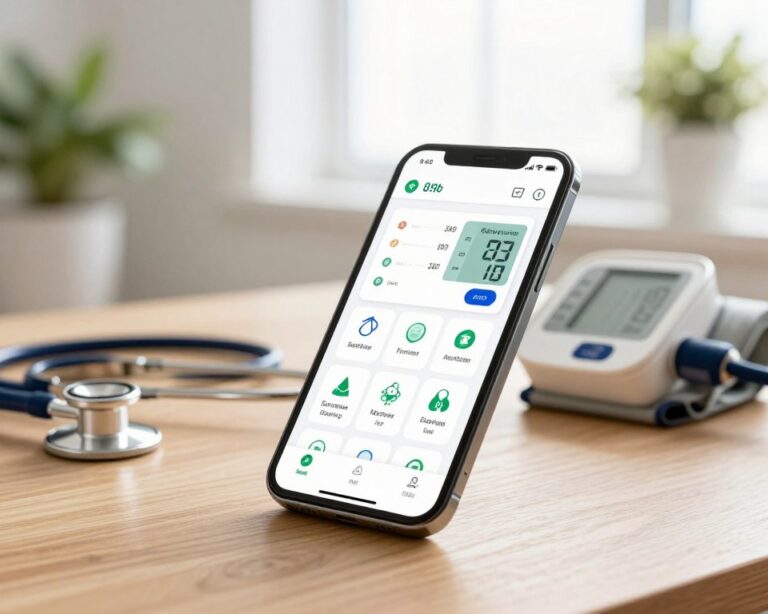
Managing blood pressure used to mean spiral notebooks, manual cuffs, and hoping you remembered to bring your log to your next doctor’s appointment. The apps available today have changed that picture considerably and for people managing hypertension or tracking cardiovascular health, the difference is meaningful.
This guide covers what to look for in a blood pressure app, which options hold up under real-world use, and how to think about these tools in the context of actual healthcare.
A Necessary Clarification
Blood pressure apps on their own don’t measure your blood pressure. Your phone doesn’t have sensors for that. What these apps do and do well is serve as intelligent logging, visualization, and tracking platforms for readings you take with a separate device: a home monitor, a wrist cuff, or a smartwatch with blood pressure capability.
A few important caveats on the device side:
- Upper arm monitors are more accurate than wrist monitors for most people. The American Heart Association recommends upper arm cuffs for home monitoring.
- Smartwatch blood pressure features (available on select Samsung Galaxy Watch models and a handful of others) require regular calibration against a traditional cuff and are best treated as relative trend indicators rather than clinical measurements.
- Validated monitors matter. Look for devices listed on the Validated Hypertension Devices list maintained by validatebp.org — not all consumer monitors meet clinical accuracy standards.
The app is only as useful as the data going into it. Accurate readings start with an accurate device and proper measurement technique: seated, arm at heart level, no caffeine or exercise in the 30 minutes prior.
The Apps Worth Considering
Withings Health Mate
If you own a Withings blood pressure monitor (the BPM Connect and BPM Core are widely recommended), the Health Mate app is the natural companion. It auto-syncs readings via Bluetooth, generates clear trend charts, and produces PDF reports formatted for physician review. It integrates with Apple Health and Google Fit. The app is free; it works best within the Withings hardware ecosystem but can accept manual entries from other devices. Download here on Android or iOS.
iHealth MyVitals
The companion app for iHealth blood pressure monitors, which are among the more affordable validated options on the market. The interface is clean, syncing is automatic, and the app provides clear AHA-based classification for each reading. Good for users who want straightforward logging without unnecessary complexity. Download here on Android or iOS.
HeartWatch
Primarily designed for Apple Watch users, HeartWatch integrates deeply with Apple Health to aggregate heart rate, heart rate variability, and blood pressure data (from Apple-compatible monitors). Its visualization layer is particularly strong, offering daily summaries and trend analysis that most pure blood-pressure apps don’t match. iOS only. Download here.
Blood Pressure Monitor – BPM (by Leap Fitness Group)
Platform-agnostic and free, this app allows manual entry from any device and provides solid trend charts, averages by time of day, and basic PDF export. It lacks Bluetooth sync, which limits its convenience compared to hardware-paired apps, but it works well for people who want a no-cost solution that doesn’t tie them to specific hardware. Download here on Android or iOS.
Samsung Health
For users with a Samsung Galaxy Watch that supports blood pressure measurement, Samsung Health is the companion platform. It aggregates readings, tracks trends over time, and integrates with the watch’s broader health monitoring. Note: Samsung’s blood pressure feature requires calibration with a validated cuff every four weeks and is not available in all regions. Download here on Android or iOS.
What a Good Blood Pressure App Should Do
Before comparing specific apps, it helps to know what features actually matter:
Reliable logging. Manual entry should be fast and intuitive. If entering a reading takes more than fifteen seconds, you’ll stop doing it.
Bluetooth sync. If your monitor supports it, automatic syncing eliminates transcription errors and makes logging passive. This alone dramatically improves adherence.
Trend visualization. A week of isolated readings is less useful than a month of readings shown on a clear graph. Good apps show you whether your blood pressure is trending up, down, or stable over time.
Classification display. Readings should be categorized against established ranges (Normal, Elevated, Stage 1 Hypertension, Stage 2 Hypertension, Hypertensive Crisis) per American Heart Association or ESC guidelines.
Export and sharing. Your data should be exportable in a format you can share with a physician — PDF reports, CSV files, or integration with health platforms like Apple Health or Google Fit.
Pulse tracking. Most cuffs also record heart rate; a good app logs this alongside blood pressure readings for a more complete picture.
Compatibility: Getting the Pairing Right
| Device Type | Recommended App Pairing |
|---|---|
| Withings BPM Connect / BPM Core | Withings Health Mate |
| iHealth Track / Feel | iHealth MyVitals |
| Omron monitors (Bluetooth models) | Omron Connect |
| Any device → Apple ecosystem | Apple Health (with compatible apps) |
| Samsung Galaxy Watch | Samsung Health |
| No specific device (manual entry) | BPM by Leap Fitness, or Blood Pressure Companion |
Omron is worth a separate mention: their Bluetooth-enabled monitors (the Omron Platinum and Omron Gold are frequently cited as top-performers by independent reviewers) pair with the Omron Connect app, which offers multi-user support and printable reports.
The Bigger Picture
An app doesn’t treat hypertension. It doesn’t replace a doctor’s assessment. What it does is give you and your physician far better data than memory or a crumpled notepad — and data is leverage.
Consistent home monitoring, when done correctly, catches patterns that a single clinic reading never could: the person whose blood pressure spikes in the evening, the individual whose numbers run perfectly normal outside of stressful work periods, the patient whose medication is working well on weekdays but not weekends.
That granularity is clinically valuable. Studies consistently show that patients who actively track their blood pressure at home show better long-term control than those who rely solely on occasional clinic visits.
The app is your instrument for turning daily readings into something a physician can actually use.